Product / Sales Engine Pro

Sales Engine Pro · Sales and CRM

A CRM that tells your team which deal to work on next.

Leads, deals and customer history in one pipeline. Alci tells your team which deals need attention and drafts the follow-ups.

Already on Salesforce or Zoho CRM? Connect it first

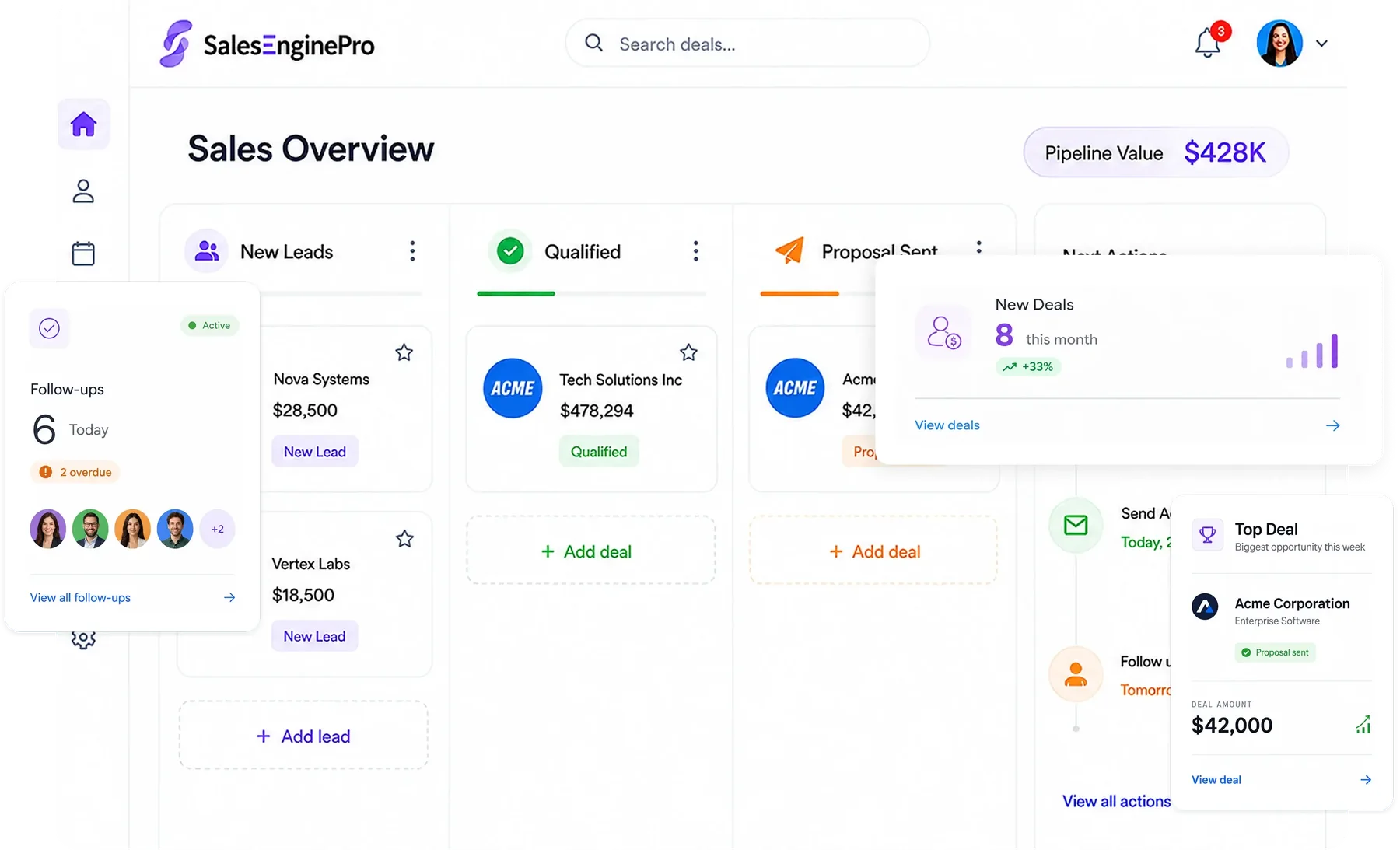
Sales Engine Pro sales overview: pipeline by stage, new deals and follow-ups

Where the work usually gets stuck

This is what Sales Engine Pro looks like in most companies today, for the business and for the people doing the work.

A normal day, before Synclo

Your biggest deal went quiet nine days ago, and nobody noticed. Synclo reads every lead, email and deal, and tells your team exactly what to do next.

For the business
Deals slip away unnoticed

A quiet deal is a lost deal, and most teams find out too late.

Forecasts nobody trusts

The pipeline lives in people's heads, so the forecast is a guess.

Customer history leaves with your people

When a salesperson moves on, what they promised goes with them.

For the people doing the work
Salesperson

“I spend hours updating the CRM instead of selling.”

Sales manager

“Every Monday I chase the team for pipeline updates.”

New hire

“I have no idea what was promised to this customer.”

See how Synclo fixes this →
The story

The same week, told twice.

First the way it usually goes, then with Synclo on the team. Same work, same people — watch the number.

Act I · The usual week

What happens after you upload your first file

Synclo reads your Sales Engine Pro data once. After that, a few words are all it takes. Click any step, or watch it play.

  1. 1

    Read

    Reads your leads, emails, calls and orders.

    You typeImport our leads spreadsheet
    Read 1,260 leads and 84 open deals
  2. 2

    View

    See what needs attention, ranked by risk.

    You typeWhich deals need attention today?
    3 deals at risk, Northwind first
  3. 3

    Edit

    Update deals by saying what changed.

    You typeMove Helix Labs to negotiation at $46,000.
    Helix Labs moved to negotiation at $46,000
  4. 4

    Run

    Run follow-ups and proposals with one command.

    You typeDraft follow-ups for this week's demos.
    7 follow-ups drafted for your review
  5. 5

    Learn

    Learns from the leads you close, and handles similar new leads itself.

    You typeHandle cases like these from now on.
    Autopilot now handles leads like these
yourcompany.synclo.com
Read: Reads your leads, emails, calls and orders.
View: See what needs attention, ranked by risk.
Edit: Update deals by saying what changed.
Run: Run follow-ups and proposals with one command.
Learn: Learns from the leads you close, and handles similar new leads itself.

Real Synclo screens with sample company data.

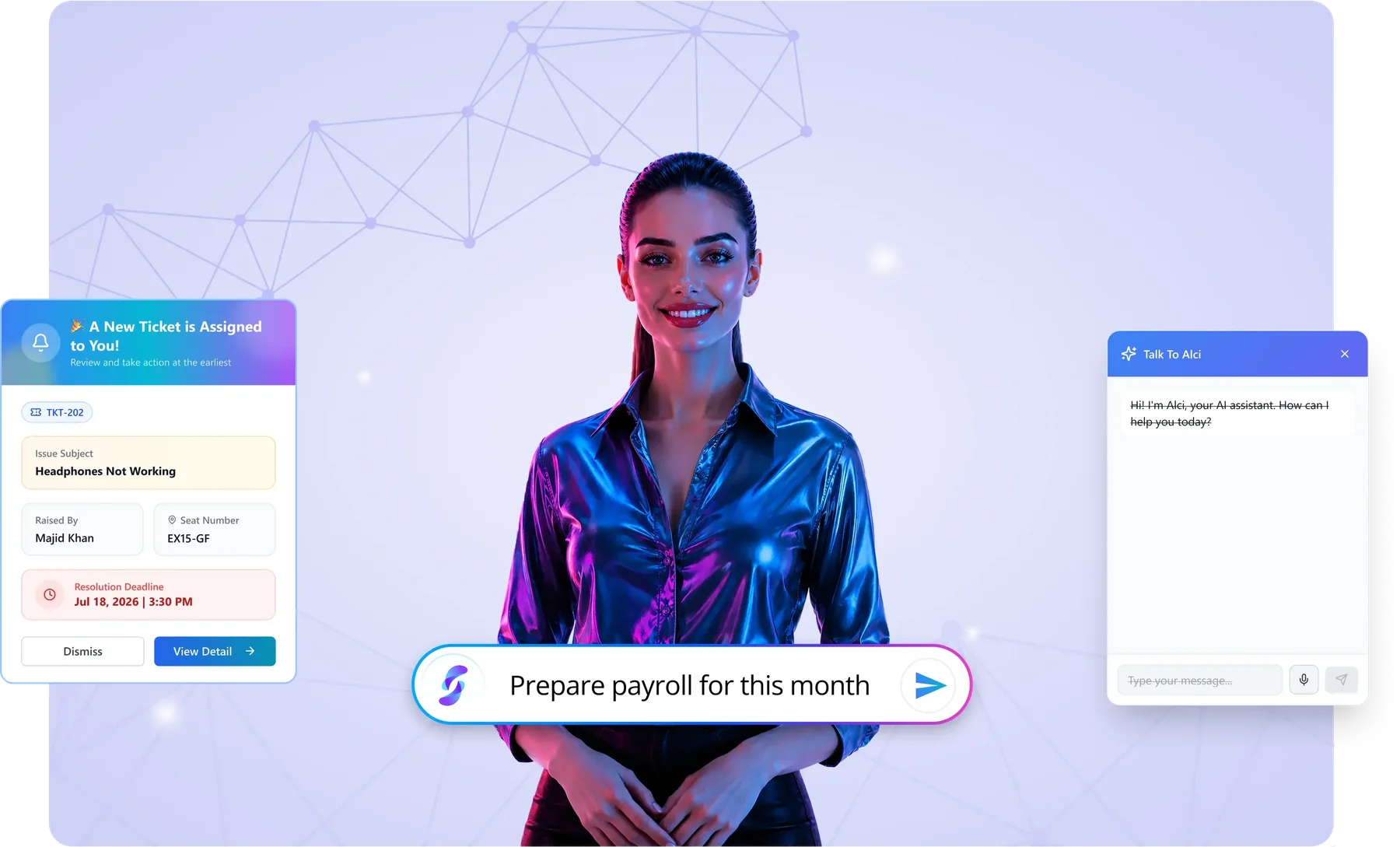
Hi, I am Alci.I read your data, run the work and learn your routines.

Type a request and watch it run

Click a request, or let the demo play.

Synclo workspaceLive
AlciYour AI assistant
● Connected412 people3 officesSample company

Demo with sample company data.

Alci picks up the routine and offers to take it over

After watching how your team handles lead handling, Alci offers to handle similar cases itself. You approve once, and you stay in control.

Alci is learning

Lead handling

Leads like these your team closed40 of 40

You have closed 40 leads from retail companies with 50 to 200 staff, each after a demo and two follow-ups. I can handle new leads like these the same way: qualify them, book the demo and follow up.

AutopilotOn · Retail leads, 50 to 200 staffOff · your team handles these by hand

You approve it once. Anything unusual still comes to you, and you can switch it off any time.

Handled by AlciLive
✓
QualifiedBrightline Retail · 120 staff
✓
Demo bookedBrightline Retail · Thursday 11:00
✓
Follow-up sentOakmoor Stores · opened twice
→
Sent to youVantage Group · 900 staff, outside the pattern
27handled automatically today
1sent to you to decide

What's included in Sales Engine Pro

Every feature shares the same data with the rest of Synclo, so nothing is typed twice.

01

Leads and opportunities

Capture, qualify and move every deal through one clear pipeline.

02

Customer history

Every call, email and order for each customer, in one record.

03

Forecasts and analytics

Sales forecasts built from what is really in the pipeline.

04

Follow-up automation

Reminders and follow-ups that send themselves.

Works with the rest of Synclo

Same people, customers and numbers across every module.

Connects with

The tools your Sales Engine Pro team already uses.

ShopifyWooCommerceStripeGoogle WorkspaceMicrosoft 365Zoom

Sales Engine Pro features, in full

12 capabilities in three groups, all sharing data with the rest of Synclo and all run by asking Alci.

Leads and pipeline

  • Lead captureForms and channels that create leads automatically, with nothing typed in.
  • AI lead scoringLeads ranked by how likely they are to convert, so you call the best first.
  • Custom pipelinesStages and deal steps that match how your team actually sells.
  • Opportunity trackingEvery deal from first contact to close, with its full history.

Selling day to day

  • Activities and tasksCalls, meetings and follow-ups logged, with reminders so nothing slips.
  • Automated follow-upsEmails, reminders and task assignments that run on their own.
  • Calendar and schedulingTeam calendars synced with the CRM for meetings and demos.
  • ProposalsProposals drafted from the customer and deal data you already have.

Team and insight

  • Deal roomsShared spaces where the team works on a big deal together.
  • Forecasts and analyticsPipeline health, conversion and revenue forecasts in real time.
  • Sales dashboards and alertsKey numbers on screen, and alerts when a deal or lead changes.
  • Connected to the businessSales linked to marketing, finance and customer support in one system.

Sales Engine Pro in short videos

Cold deals, late-night enquiries and units promised twice. Watch Alci catch each one.

Your best deal is going coldAlci finds the deals going cold and writes the follow-ups, ready to send.
The 11:40 PM leadA buyer enquires at midnight. Alci replies in a minute and books the viewing before a competitor wakes up.
Sold twice?Two agents, one unit. Live inventory every agent sees, so a unit is never promised to two buyers.

Watch all reels and walkthroughs →

Watch Sales Engine Pro at work.

Real situations from a working week, solved on screen.

Sales Engine Pro · Missed follow-up

The follow-up that never happened

A promising lead goes quiet because nobody followed up. See how Sales Engine Pro and Alci catch it before the deal is lost.

Watch on YouTube ↗
Sales Engine Pro · Sales walkthrough

Sales Engine Pro in action

Leads, deals and customers in one place, with Alci keeping every next step on track.

Watch on YouTube ↗
Sales Engine Pro · Sales scenario

Keeping the pipeline moving

An everyday sales problem, handled in Sales Engine Pro from the first contact to the next step.

Watch on YouTube ↗
Sales Engine Pro · Sales scenario

From enquiry to the next step

A real sales situation worked through in Sales Engine Pro, so nothing falls between the team and the customer.

Watch on YouTube ↗

Questions about Sales Engine Pro

What is Sales Engine Pro used for?
It is one CRM for leads, opportunities, pipelines, activities and sales performance, so the team sees every deal clearly.
Can it fit our sales process?
Yes. Pipelines and deal stages can be set up to match your sales cycle, industry or business model.
How does it save the sales team time?
Lead data and follow-ups live in one place, reminders stop missed actions, and Alci drafts follow-ups so reps spend less time on admin.
Can the team work on deals together?
Yes. Notes and updates are shared in real time and everyone sees the same deal information.
Can managers track performance and forecasts?
Yes. Live dashboards and reports show pipeline health, conversion and team performance to support forecasting.
Can we move from Salesforce or Zoho CRM?
Yes. Import your contacts, deals and history, or connect your current CRM first and switch when you are ready.

More questions? Visit the help center or talk to our team.

Try Sales Engine Pro
on your own data.

Upload one Excel file and see it working today. Already on Salesforce or Zoho CRM? Keep it, and connect it first.