Product / Project Hub

Project Hub · Project management

Projects that report their own status, so meetings can be about decisions.

Plans, milestones, tasks and workloads in one place. Ask Alci for a status update instead of calling a meeting.

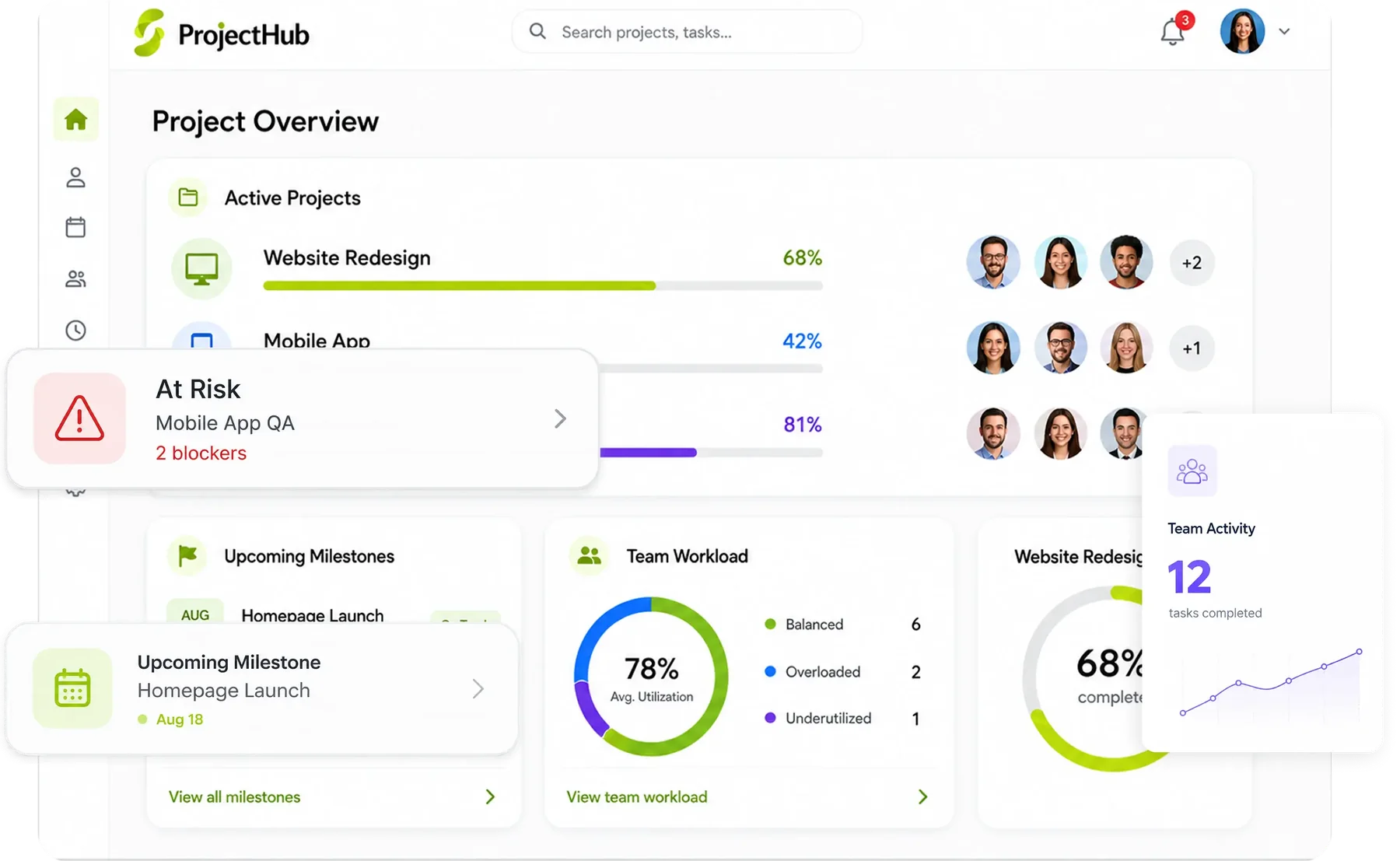
Project Hub overview: projects, tasks and team workload

Where the work usually gets stuck

This is what Project Hub looks like in most companies today, for the business and for the people doing the work.

A normal day, before Synclo

It's Monday, and the whole team is in a meeting just to find out what's late. Synclo reads every task, so the project tells you before you ask.

For the business
Delays found when it's too late

By the time a delay is reported, the deadline is already gone.

Projects over budget without warning

Costs drift quietly until the final invoice.

Clients asking for updates nobody has

Every client update means a round of internal chasing.

For the people doing the work
Project manager

“I spend my week chasing updates instead of managing.”

Team member

“The same task lives in chat, email and a spreadsheet.”

Specialist

“I'm overloaded while others wait for work.”

See how Synclo fixes this →
The story

The same week, told twice.

First the way it usually goes, then with Synclo on the team. Same work, same people — watch the number.

Act I · The usual week

What happens after you upload your first file

Synclo reads your Project Hub data once. After that, a few words are all it takes. Click any step, or watch it play.

  1. 1

    Read

    Reads your plans, tasks, timesheets and costs.

    You typeUpload our project tracker
    Read 11 projects and 640 tasks
  2. 2

    View

    See status, risks and workloads instantly.

    You typeWhich projects are late, and why?
    2 projects late because of a supplier delay
  3. 3

    Edit

    Change plans by saying what moved.

    You typePush the Atlas handover to 14 November.
    Atlas handover moved to 14 November
  4. 4

    Run

    Run updates and rebalancing with one command.

    You typeRebalance this week's workload.
    2 tasks moved to Ben Carter
  5. 5

    Learn

    Learns how your projects run, and fixes routine slips before they spread.

    You typeHandle cases like these from now on.
    Autopilot now fixes routine slips
yourcompany.synclo.com
Read: Reads your plans, tasks, timesheets and costs.
View: See status, risks and workloads instantly.
Edit: Change plans by saying what moved.
Run: Run updates and rebalancing with one command.
Learn: Learns how your projects run, and fixes routine slips before they spread.

Real Synclo screens with sample company data.

Hi, I am Alci.I read your data, run the work and learn your routines.

Type a request and watch it run

Click a request, or let the demo play.

Synclo workspaceLive
AlciYour AI assistant
● Connected412 people3 officesSample company

Demo with sample company data.

Alci picks up the routine and offers to take it over

After watching how your team handles schedule slips, Alci offers to handle similar cases itself. You approve once, and you stay in control.

Alci is learning

Schedule slips

Slips your project managers handled18 of 20

When a supplier task slips more than 2 days, your managers move the dependent tasks and update the client. I can do this automatically.

AutopilotOn · Supplier slips over 2 daysOff · your team handles these by hand

You approve it once. Anything unusual still comes to you, and you can switch it off any time.

Handled by AlciLive
✓
Rescheduled3 tasks after racking delay · Atlas
✓
Client updatedAtlas Warehouse · new handover date
✓
Task movedLina Park → Ben Carter · workload balanced
→
Flagged for youCRM rollout · 8% over budget
27handled automatically today
1sent to you to decide

What's included in Project Hub

Every feature shares the same data with the rest of Synclo, so nothing is typed twice.

01

Planning and milestones

Plan every project with milestones and timelines in one place.

02

Tasks and progress

Assign tasks and see progress without asking.

03

Resource planning

Balance workloads across the team.

04

Bottleneck alerts

AI-driven insights that spot problems before they cause delays.

Works with the rest of Synclo

Same people, customers and numbers across every module.

Connects with

The tools your Project Hub team already uses.

SlackMicrosoft TeamsGoogle DriveDropboxZoomGoogle Workspace

Inside Project Hub

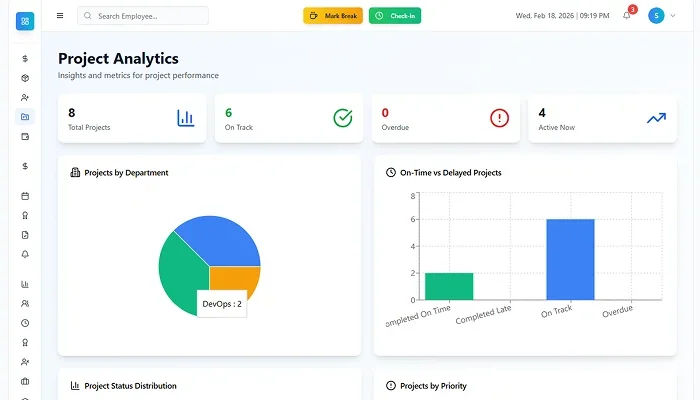
Project Hub project analytics
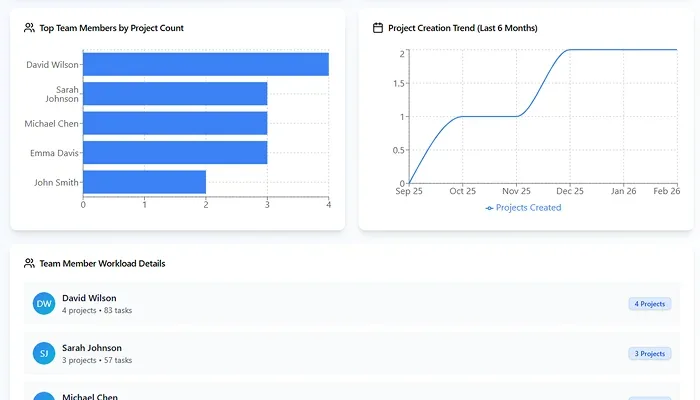
Project Hub workload charts

Screens from the live product, shown with sample company data.

Project Hub features, in full

12 capabilities in three groups, all sharing data with the rest of Synclo and all run by asking Alci.

Plan

  • One-click importBring projects, tasks and teams over from Trello, Jira or Asana.
  • Project templatesStart from templates with stages, milestones and dependencies set.
  • Planning and schedulingPlans, priorities and delivery dates in one workspace.
  • Gantt chartsTimelines that update as tasks and milestones move.

Deliver

  • AI task managementTasks ranked by urgency, availability and deadlines.
  • Automatic assignmentWork assigned by skills, availability and project needs.
  • Resource managementTeam capacity and workloads balanced across projects.
  • Time trackingTime logged per task, with reports that show where it goes.

Stay on track

  • Milestones and alertsMilestones tracked, with alerts when one is reached or at risk.
  • Risk detectionAI flags likely delays and resource gaps before they hit.
  • CollaborationChat, comments, files and shared documents inside each project.
  • Workflow automationAssignments, approvals and notifications that run themselves.

Watch Project Hub at work.

Real situations from a working week, solved on screen.

Project Hub · Project walkthrough

Project Hub in action

Plans, tasks and workloads in one place, so you can see what is blocking the work before a deadline slips.

Watch on YouTube ↗

Questions about Project Hub

What is Project Hub used for?
Planning work, assigning tasks, tracking progress and managing timelines from start to delivery.
Can we bring our projects from Trello, Jira or Asana?
Yes. One-click import brings over projects, tasks and team data, so you do not start from scratch.
Does it support different kinds of projects?
Yes. Internal, client or long-running work, with your own milestones, tasks, priorities and views.
How does it help teams collaborate?
Discussions, files, updates and decisions sit inside each project, so nobody searches through email.
Can managers see progress in real time?
Yes. Task completion, milestones and activity update live, and Alci flags delays and risks early.
Does it connect to HR and finance?
Yes. It links with People Manager for team availability and Smart Ledger for project costs.

More questions? Visit the help center or talk to our team.

Try Project Hub
on your own data.

Upload one Excel file and see it working today.